OpenClaw Setup
OpenClaw supports custom OpenAI-compatible providers through its onboarding flow.
Configure FlowAPI
Run:
openclaw onboardThen follow the prompts:
- Choose Yes to start setup.
- Choose QuickStart.
- Choose Custom Provider.
- Enter
https://api.flowapi.net/v1. - Choose Paste API key now.
- Paste your FlowAPI API key.
- Choose OpenAI-compatible.
- Enter the FlowAPI model ID you want to use.
- Name the configuration, for example
FlowAPI. - Leave the final optional field blank unless your workspace requires it.
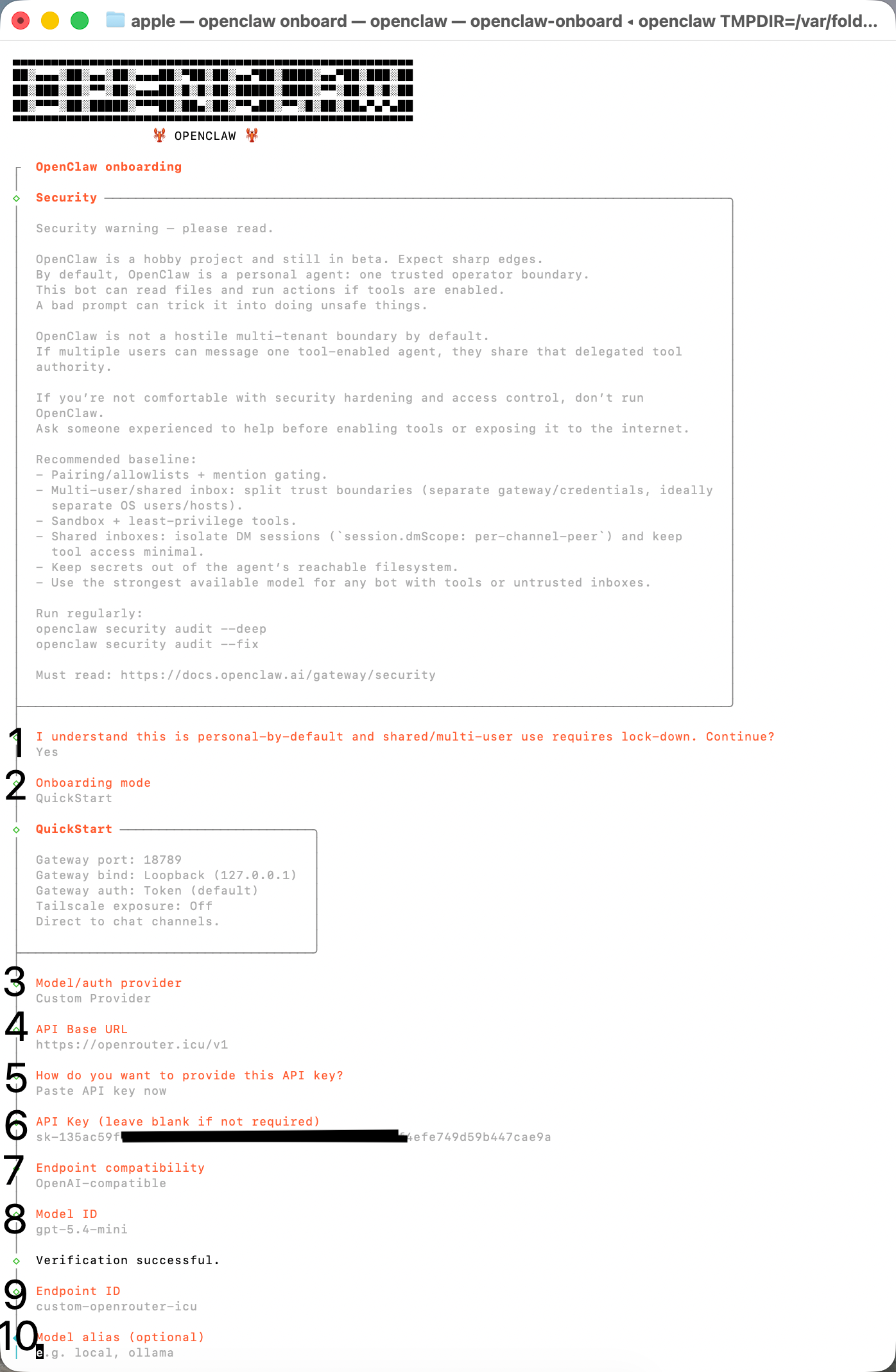
After saving, restart OpenClaw or open a new OpenClaw session.
Verify the setup
- Confirm requests use the model ID you entered.
- Confirm the URL includes
/v1. - If authentication fails, create a fresh FlowAPI key and paste it again.
Last updated on